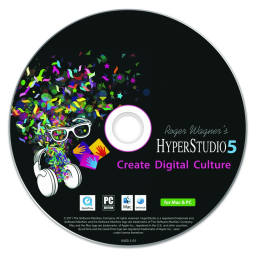
 HyperStudio 5.2.0.579
HyperStudio 5 is a multimedia workspace for creating fully interactive digital presentations that communicate knowledge, introduce ideas and perspectives, and engage audiences with modern media technologies. It's designed for creators who enjoy mixing and remixing media, making films instead of just watching them, posting blog posts and articles instead of just reading the news, and producing podcasts instead of just listening, making HyperStudio for Windows a natural fit for this hands-on and engaged generation. In essence, HyperStudio is about combining media.
HyperStudio 5, developed by original creator Roger Wagner in collaboration with Software MacKiev, retains the spirit of classic HyperStudio while adding modern capabilities such as podcasting, Arduino integration, and more. Arduino support allows you to connect interactive hardware directly to your projects, extending presentations into the physical world. Green screen animation tools make it easy to replace backgrounds with chroma-key transparency.
Features of HyperStudio
New text features allow you to compare and move text between objects and read from or write to files without any scripting. This allows you to save essays and test results or check entered answers against expected answers. The "lock-on" feature allows objects to "automatically" lock into place, making it easy for viewers to link or pair elements on the screen.
Path animations give you complete control over how objects move along custom routes in stories and presentations. The "overlay" animation view displays semi-transparent versions of the previous and/or next card superimposed on the current card, allowing you to fine-tune motion and continuity. Built-in podcasting support lets you export projects to iTunes-compatible video formats for iPad, iPod, and iPhone.
The narration option for video export lets you create QuickTime movies with built-in voiceovers. You can link directly to locations in Google Maps and Google Earth for map-based or geographicly rich projects. Integration with Apple's Keynote lets you take existing presentations as a starting point for a more interactive experience.
HyperStudio 5 connects to iTunes so you can easily select and use music, and on a Mac, it also integrates with Apple's multimedia applications like iPhoto and iMovie to import photos and videos. The integrated YouTube browser allows you to drag video clips directly into your project without leaving your workspace. Drag-and-drop support for images, text, audio, movies, and other media speeds up the creation of document stacks, which is especially useful in time-constrained classroom environments.
The Inspector window unifies the interface, actions, layout, features, and styling of any object into a single window. The Object Browser simplifies merging, flattening, layering, and deleting objects, providing quick, intuitive management of complex scenes. Source recording tools automatically record the source URL for imported online content and provide space for you to add your own citation notes.
HyperStudio 5 also includes flexible drawing tools where every stroke is editable. There are dozens of brush types, including 3D options, and effects such as zoom, blur, rotate, and vintage, allowing you to fine-tune and style your artwork directly within the program.
System Requirements:
Operating System: Windows XP Service Pack 3 or later
Memory: 512 MB RAM
Graphics Card: 100% DirectX 9.0c compatible
Free Hard Disk Space: 700 MB
- Venn Audio V-Clip 2 v1.0.4
 It offers a full range of features such as multi-band saturation, fore/rear boost, mid-side processing, and a graphical user interface.
 - TunesKit Video Cutter 3.0.0.54
 A perfect video cutter to cut video and audio into small chunks and save them in any format
 - TuneKeep Audio Converter 6.9.2
 App help you can easily convert Apple Music to MP3 without any trouble
 - Tenorshare Video Repair 1.0.0
 An excellent video repair tool for fast and effective video editing, supports many popular video formats
 - Samurai Sharpen Video 1.3.1 for After Effects & Premiere Pro
 Designed to enhance the clarity and detail of video footage without creating unwanted artifacts
 - RevisionFX Effections Plus for OFX 25.08
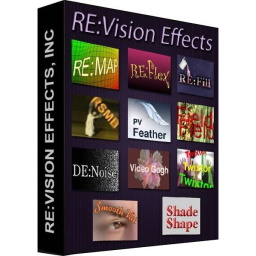 Enhance video editing with a range of tools focused on motion effects, noise reduction, and color matching
 - Program4Pc Audio Converter Pro 7.8
 A program convert audio and extract audio universal interface with user friendly
 - Nomad Factory 80s Spaces 2.5.1
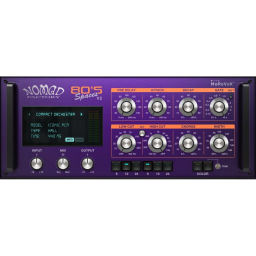 Digital reverb plugin for creating audio processing software and plugin for professional audio production
 - iZotope Plasma 1.1.0
 Dynamic saturation automatically reacts to your sound where and when you need it.
 - CherryPlayer 3.4.3
 Excellent utility gives the user a viewing experience Youtube videos Twitch.tv new, high quality