 Giuseppe Cigala Frammer 1.0.5
Giuseppe Cigala Frammer will help you transform any video into a collection of high-quality still images with just a few clicks. Whether you're creating thumbnails, storyboards, reference photos, or social media posts, this app helps you isolate the perfect frame without the need for complex editing tools. Select the entire frame or crop only the key area, then export in your preferred format for immediate use in other applications or projects.
Key Features Precise Frame-by-Frame....
Thanks for Downloading
Giuseppe Cigala Frammer will help you transform any video into a collection of high-quality still images with just a few clicks. Whether you're creating thumbnails, storyboards, reference photos, or social media posts, this app helps you isolate the perfect frame without the need for complex editing tools. Select the entire frame or crop only the key area, then export in your preferred format for immediate use in other applications or projects.
Key Features
- Precise Frame-by-Frame Navigation: Play at normal speed, fast forward the timeline, or move frame by frame to capture the perfect moment.
- Flexible Shooting Modes: Capture the entire video frame or draw a cropping frame to focus on a specific subject or detail.
- Multiple export formats: Save frames as PNG, JPG, BMP, or other popular formats to suit your workflow.
- Batch export: Mark multiple frames and export them all at once to save time on large projects.
- Resolution options: Export at native resolution or reduce size to preset sizes for web, mobile, or thumbnails.
- Non-destructive workflow: Your original video is never edited; All captured images are created as separate image files.
- Clean, distraction-free user interface: A simple, modern layout keeps videos and timelines centrally displayed so you can work faster.
- Keyboard shortcuts: Use keyboard shortcuts to play/pause, next/previous frame, capture, and undo to speed up repetitive tasks.
- Zoom and move: Zoom in on video frames and move around to fine-tune cropping and check details.
- Timecode display: See the exact timestamp for each captured frame for easy cataloging and reference.
- Project history: Quickly reopen recent videos and review previously captured frames without reloading the entire project.
- Light and dark themes: Choose the display style that best suits your workspace. your job and your lighting conditions.
Top Alternatives
- VSO DVD Converter Ultimate 4.0.0.98
 A comprehensive application that allows you to convert DVD movies to many different video formats
 - ThunderSoft Audio Recorder 10.2.0
 A handy tool to record audio from both computer and microphone, supports a variety of audio sources
 - Sugar Bytes Obscurium 1.1.4
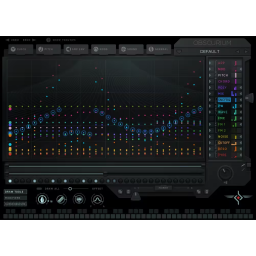 Sound and pitch synthesis engine, based on scale and chord input to create dynamic sounds
 - Overloud Gem Dopamine 1.1.9
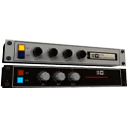 the simulation of two-processor coding tape classic, be used as enhancers
 - Macsome Spotify Downloader 1.6.2
 Professional Spotify audio downloader and Spotify Music Converter, which can download your favorite songs
 - IObit iFun Screen Recorder Pro 1.2.0.261
 Quickly record computer video and audio, then save results for playback or sharing
 - Cool Record Edit Deluxe 9.8.2.6
 Professional software to help move recordings to computer hard drive with the purpose of storage and protection
 - Auburn Sounds Lens 1.3.0
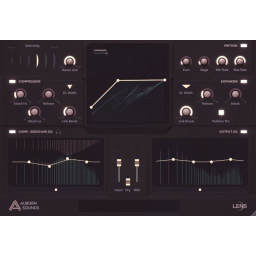 A VST3/VST2/AAX plug-in. The spectral dynamics processor is clear and powerful
 - AnyCap Screen Recorder 1.0.6.81
 The software helps to record video calls into MP4 and AVI films such as Facebook, Skype, Google Hangouts
 - ACDSee Luxea Video Editor Pro 8.0.1.3380
 Software simple and effective to edit and edit all types of video files (with the ability to record video from the screen)