 Extra Subst Home 26.2.1
Extra Subst is program designed to help access to the folder is regular use of your computer easier. It is also used to create, edit and remove virtual drives of your computer. Extra Subst creates virtual drives on the basis of the selected folder. Physical drives remain unchanged and are not divided into additional partitions.
Create a new virtual disk is very simple, because you only need to specify the folder which will be connected to, then select the letters and go to it. New virtual disk sharing disk space with its physical disk that the folder is associated is stored. However, you can't change the label of the drive was created. Because of this, quite difficult to distinguish them or find the specific element, because of the unique features only one of them is letters.
Extra Subst - Create virtual drives
The application displays all the virtual disk in a list and any of them can be removed from it if no longer needed. Of course, when you perform this action, the data will not be lost, because the virtual disk just connects you to an existing folder on your computer. Program Extra Subst can download the virtual disk created when Windows boots, so there's no need to run the program and turn on each separate disk, everything will happen automatically.
The program can't damage the existing partitions, so beginners should not worry about losing important files. Moreover, the application provides a quality, material quite a bit help novice users understand how everything works and how those who know English will like it. In general, you have good software allows you to create multiple virtual disk that is associated with the specific folder on your system.
The program interface consists of three basic parts:
1. "Drive Explorer" - displays all the disk drives used on your computer with necessary information about them. When you double-click on the selected drive, the "Explorer" with the selected drive will be open. In this part of the program interface, you can also delete the virtual drive selected with the help of the "Delete"button.
2. "Available Drives" - the list of available drive of your computer. This part of the program interface are used to create virtual drives. When you select the disk and click the button "New" or double-click the selected drive, a virtual drive created in your system, and record of it placed in the list "Launch virtual drive".
3. "Start Up Virtual Drives" - the list of records created in the virtual drive of the operating system. In this part of the program interface, you can adjust the list of drives to be initialized in the boot process of your computer.
- Win4YaesuSuite 1.462
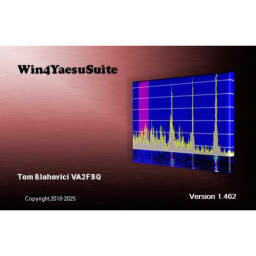 Windows control program for Yaesu FTDX-1200, 3000, 5000, 9000 and FT-991/A
 - Taskbar Hide 3.2
 Hide windows programs completely via a hotkey or as an icon in the system tray
 - System Ninja Pro 4.0.1
 Powerful application and high efficiency allow you to improve pc performance by optimizing the operating system Widows
 - SmoothScroll 1.2.4
 Helps enhance scrolling experience on desktop, supports many applications such as Chrome, Word, OneNote, editor, PDF
 - SafeCP 1.5.7409
 Free software allows you to access the data restricted from some system files, the most popular and retrieve data
 - NVIDIA App 11.0.6.383
 For PC gamers and creators Keep your PC up to date with the latest NVIDIA technology and drivers
 - miniToggle 1.4.2
 An application that allows you to easily switch between Explorer settings
 - iMacros Enterprise Edition 12.6.505.4525
 A small utility, but high efficiency for automation website, which allows you to easily record and replay repetitive tasks
 - Hex Editor Neo Ultimate 7.50.04.8813
 utilities software edit binary files for Windows with rich features and convenience for the developer
 - GoodSync Enterprise 12.9.26.6
 Easy file backup and file synchronization software, automatically analyze, synchronize important data