 MadPeel - AI Background Remover 1.0.0
Remove the background from any photo in seconds with professional AI precision. Works completely offline, ensuring 100% privacy because MadPeel never uploads your photos to the cloud; everything is processed directly on your PC.
MadPeel offers 3 AI modes to choose the right engine for each image type: Best Quality mode for product photos, objects, and general images with sharp cropped edges; Portrait Mode optimized for portraits of people with natural contours; and Hair Detail Mode specifically for hair, fur, soft edges, and transparent areas that many other tools struggle to handle. Unlike simple one-click tools, MadPeel gives you full fine-tuning control with a professional editing toolset to perfect every cut.
The tool is GPU-accelerated, automatically utilizing your NVIDIA or AMD graphics card for faster processing, and has a CPU-backed fallback mode if needed. MadPeel is built for professional users: supports drag-and-drop or direct opening of PNG, JPG, WebP, BMP, TIFF, and GIF formats; features a before/after comparison slider and side-by-side view; up to 10x zoom for pixel-by-pixel inspection; and shortcuts for faster workflows. No subscriptions, no watermarks, no cloud uploads – focus on results.
Features of MadPeel - AI Background Remover:
- One-click AI background removal in seconds
- 3 AI modes for product, portrait, and fine hair detail
- 100% offline and private operation
- Images never leave your computer!
- Batch processing of entire folders with queue management.
- Export transparent PNG, JPEG, and WebP images with quality control.
- 22 ready-made export settings for Amazon, Shopify, Instagram, TikTok, and more.
- Professional brush tool to add or remove areas.
- Edge refinement: sharpen, expand, blur, and de-edge.
- Automatically enhance analysis and optimize cropped images.
- Before and after comparison slider and side-by-side view.
- 7 ready-made shadow settings with full customization.
- 12 gradient backgrounds plus monochrome and custom images.
- GPU acceleration for faster processing on NVIDIA and AMD.
- Drag and drop support for PNG, JPG, and more. WebP, BMP, TIFF, and GIF
- Zoom in up to 10x to inspect edges at the pixel level
- No registration required, no watermarks, no cloud uploads
- Handle hair, fur, and intricate edges that other tools miss
- Undo and redo history for non-destructive editing
- Keyboard shortcuts for professional workflow speed
- Lightweight installation with fast startup
- Thinkbox Krakatoa MY 2.10.2 for Maya 2019 - 2022
 Used in the production process to create visual effects and elements for film-based films in the future.
 - The Foundry Katana 8.0v4
 Providing the visual effects and 3D content high level for the industry, design, visualization and entertainment
 - RecFusion Pro 2.2.0
 Software can help you create 3D models of people, pets, furniture and many others
 - Pro Motion NG 8.0.11.1
 Drawing software to quickly create the correct image, animation, graphics, image, and map the high level
 - PrimaToon 2.1.2
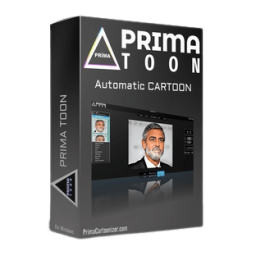 Turn ordinary photos into extraordinary works of art with just one click
 - Pipe Flow Expert 7.40
 Program top software for piping design and model pipe system
 - midas Gen 2019 version 2.2 (build 20190419)
 Structure analysis general purpose and system designs optimized with computer graphics modern and the strong
 - Lightburn 2.0.05
 Layout, editing and control software for laser cutters supports most Ruida, Trocen based controllers
 - Beauty Box Photo for Lightroom 6.0.3
 Powerful skin editing plugin designed for Lightroom to enhance their images quickly
 - Aescripts Composite Brush 1.6.7
 An accurate and easy-to-use color picker and modifier for After Effects