 ZD Soft Screen Marker 1.0.4
ZD Screen Marker is a versatile screen annotation tool that allows you to draw, write, and record on any content on your computer screen. It's ideal for teachers, presenters, and creators who need quick, intuitive operations. It offers 7 pen styles, including highlighter, chalk, pencil, and ink pen, for precise or artistic annotation. It includes 10 shapes such as arrows, rectangles, polygons, and lines, along with an eraser tool to correct errors at the pixel or area level.
Customizable text supports multiple fonts, colors, borders, and alignment, while the custom image library allows users to import and manage icons directly on the canvas. Create unlimited customizable whiteboards with zoom, infinite scrolling, and over 50 background patterns such as grids or paper textures. Annotations are saved with auto-save, full editing (move, group, resize), and unlimited undo/redo.
Features of ZD Soft Screen Marker
- Seven pen styles: Ballpoint pen, Highlighter, Chalk, Pencil, Ink pen, Calligraphy pen, Ink brush for various drawing needs.
- Ten shapes: Arrow, Number, Line, Rectangle, Ellipse, Polygon, Zigzag, Curve, Bezier curve, Freehand.
- Three eraser tools: Object eraser, Pixel eraser, Area eraser for precise erasing.
- Customizable text with font, color, border, and alignment options.
- Full editing: move, copy, cut, paste, group, delete, change z-order, plus with unlimited undo/redo.
- Dynamic adjustments for color, size, opacity, and blur on any element.
- Unlimited customizable whiteboard with over 50 templates, custom images, and infinite zoom in/out canvas.
- Customizable color palette (up to 32 colors), screen color picker, and dropper color picker.
- Cursor effects: circle highlighting, annotations that automatically fade over time.
- Customize toolbars and shortcuts for each tool with conflict detection.
- Webcam overlay, screenshot/snapshot capture with magnifying glass support.
- Multi-source screen recording: annotations, system audio, microphone, webcam; Flexible recording area.
- Instant editing: cut/merge video without re-encoding; export scalable images.
- ThunderSoft Screen Recorder 10.9
 Recording software, video screen, sound and microphone at the same time with many useful functions for you
 - Thenatan Aura 1.0.1
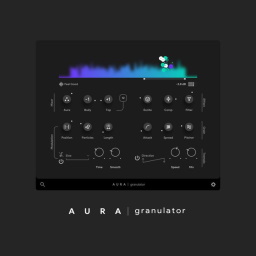 Transform any sound into breathtaking cinematic textures, giving you the ability to create unique soundscapes
 - NCH Express Scribe Pro 14.05
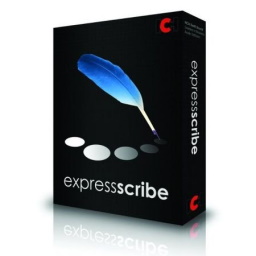 Professional audio player software for PC designed to help transcribe sound recordings
 - Mp3TagsForTracks 5.1.0
 An intuitive program that helps you store additional information directly in the audio file.
 - Kigo Netflix Video Downloader 1.9.0
 Use this software to download videos your Netflix and watch them offline at any time
 - iZotope Ozone Advanced 12.1
 Ozone 8 supplements the functional signal processing clever new shape the spectral balance control loudness
 - Aurora DSP Laboga DS 1.0.5
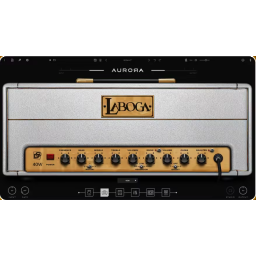 A guitar amp simulation plugin modeled after the refined, handcrafted amplifiers of Polish brand Laboga
 - Audio Damage AD057 Axon 3 v3.0.14
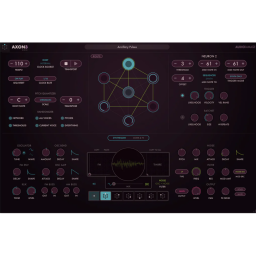 A living wire, emitting light and connecting to create a lively rhythm
 - AudFree Auditior (DRM Audio Converter) 2.9.0.30
 Transition sounds best to convert Apple Music, Audible books, iTunes songs and audiobooks, and audio