 Engenious engiggler 1.7.0
Engiggler is a Windows application designed as an intelligent activity assistant and screenshot capture tool. It runs in the system tray and offers features such as simulating mouse movements and keyboard actions, making it compatible with virtual machines. Engiggler is used to automate tasks and improve productivity on Windows systems, providing tools for users who need automation support in their workflows.
Key Features
Simulates mouse movements and keystrokes
The software can simulate subtle mouse movements with adjustable timing and patterns, including rectangular movements, to maintain It can automate work sessions or screen saver blocking. Additionally, it can automate recurring keystrokes such as the Space key and Function key, ideal for virtual machines and remote computing environments.
Virtual Machine and Browser Support
This tool has a virtual machine mode that allows keyboard-only control, window focus management, and target window selection. It also includes an auto-refresh browser feature to automatically reload tabs in Chrome, Edge, or Firefox at specified intervals, improving multitasking efficiency.
Activity Management and Automation
Users can configure work schedules, defining working hours and break times, with the software only running during those periods. It also only activates after a certain period of user inactivity, making automation less intrusive. The app-aware pause function will pause automation when applications like Zoom or PowerPoint are running to avoid interference.
Screenshot, Logging, and System Integration
Automatic screenshots can be scheduled at fixed intervals, saved locally, and organized by screen, with options for annotation and daily PDF compilation. Activity logs track active and idle time, with AI features suggesting optimal working hours based on usage habits. All functions run silently in the system tray with customizable startup and settings options.
Privacy & Compatibility
Designed to be lightweight, efficient, and completely local, the software runs on Windows 10 and 11 without administrator privileges and does not collect user data or require internet access.
- Windows XP Professional SP3 x86 Integral Edition August 2025
 Windows operating system based on image original English with automatic installation and the update and latest patch Win XP
 - Windows 10 Bloat Remover and Tweaker 5.0
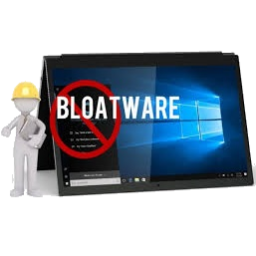 Software that helps you have a more efficient system by cutting down on unnecessary apps and features
 - Ultimate Windows Tweaker 5.2
 Software gives windows users the tools to tweak and optimize for your own system
 - TaskSchedulerView 1.74
 Display a list of all the task automatically is configured in The task scheduler Windows
 - Stardock Start10 1.98
 Software help to customize and replace the start menu in windows 10 helps you to organize apps more neat
 - Stablebit Scanner 2.6.13.4088
 The software scans all of your hard drives, ensuring that every precious bit remains readable
 - Show Windows Key 1.0
 Easily find the corresponding license key for your Windows installation (absolutely free)
 - IObit Start Menu 8 Pro 6.0.0.2
 The perfect solution for users who work with Windows Start Menu all the time and are not familiar with the start screen Metro new
 - Easy Window Invert 1.0.0.10
 The software visually changes the way windows are displayed to create a dark mode for software that doesn't have a dark mode
 - Bluetooth Driver Installer 1.0.0.164
 A reliable application aimed to accommodate Bluetooth devices on your computer by automatically detecting and installing