 AI Art Editor 1.0.0
AI Art Editor is a powerful and versatile photo editing application that combines professional tools with advanced AI creative capabilities. Transform your artistic vision into reality with stunning effects, precise controls, and intelligent automation—all at your fingertips.
Key Features Artistic Filters (15+): Transform any photo into a masterpiece with styles like Oil Painting, Pencil Sketch, Watercolor, Cartoon, Pop Art, Dot Painting, Impressionism, Mosaic, Stained Glass,....
Thanks for Downloading
AI Art Editor is a powerful and versatile photo editing application that combines professional tools with advanced AI creative capabilities. Transform your artistic vision into reality with stunning effects, precise controls, and intelligent automation—all at your fingertips.
Key Features
- Artistic Filters (15+): Transform any photo into a masterpiece with styles like Oil Painting, Pencil Sketch, Watercolor, Cartoon, Pop Art, Dot Painting, Impressionism, Mosaic, Stained Glass, Pastel, Graphite, Drawing Ink, Wood Carving, and Classic.
- AI-Powered Effects (14+): Explore the next level of creativity through AI-powered transformations such as Random Art Style, Glitch Art, Dream Effect, Pixel Arrangement, Chromatic Aberration, VHS, Thermal Vision, Night Vision, Neon Light, Two-Tone, Half-Tone, Cyberpunk, and Synthwave.
- Image Filters (11+): Refine your images with professional filters, including Blur, Motion Blur, Radial Blur, Sharpen, Emboss, Edge Detection, Contour, Noise, Noise Reduction, Blur Border, and Film Grain.
- Distortion Effects (10+): Unleash your creativity with distortion effects such as Wave, Vortex, Convex, Squint, Ripple, Sphere, Mirror, Kaleidoscope, and Tile.
- Color Adjustment (15+): Perfect your color tones with Gray, Invert, Sepia, Poster, Sunlight, Threshold, Brightness, Contrast, Saturation, Auto Enhance, Auto Contrast, and Balance tools.
- Drawing Tools: Access a complete set of creative tools—Brush, Eraser, Fill, Line, Rectangle, Oval, and Color Pick—for precise drawing and design.
- Advanced Selection: Easily select, move, cut, copy, and paste any area. Drag freehand selections for smooth, flexible editing.
- Zoom & Navigation: Zoom from 10% to 500% with window-fitting options and easily move large images.
Other Highlights
- Unlimited Undo/Redo (up to 50 levels)
- Full-resolution image support
- Save in PNG, JPEG, and BMP formats
- Resize with aspect ratio lock
- Adjustable canvas size with anchor position
- Keyboard shortcuts for advanced users
- Modern dark theme interface
- Neatly organized and scrollable effects panel
Top Alternatives
- VovSoft Video to Photos 1.6
 An easy-to-use software can help you extract the frame from video files.
 - Topaz Adjust AI 1.0.6
 Software enhances image quality with algorithms that use artificial intelligence to control image colors and details
 - Photoscape 3.7
 Software free edit and enhance photo quality quickly with compact size and easy to use
 - PhotoGlory 7.00
 Photo recovery software help you easily recover these old photos faded, lost color in the easiest way
 - Image Editor - Easy Editor 1.0.1
 Easy editor. All in one: Photo Editor, Batch Editor, Photo Viewer, Photo Crop
 - IcyScreen 4.14
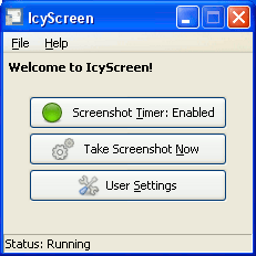 Screen recording and capture software that allows users to create high quality videos and screenshots
 - FmjSoft Any Image 5.2
 A tool to do high-quality image file conversion like image resizing, framing, color schemes
 - Easy2Convert TGA to IMAGE 3.0
 The software converts Truevision Targa files (.tga, .targa) to various image files (.jpeg, .gif, .bmp, .tiff)
 - AmoyShare AnyErase Pro 4.0.1
 Watermark remover for videos and images allows you to remove annoying logos, text, stickers
 - AI Photo Object Eraser 2.0 + Portable
 A new Windows photo tool removes unwanted objects from photos using trained AI algorithms